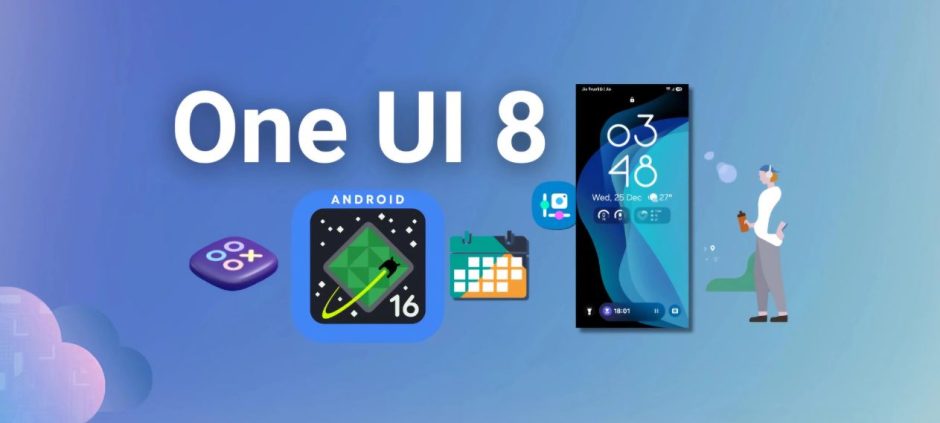
If you own a Samsung Galaxy, get ready. The new One UI 8.5 Beta Program is rolling out, and it promises to shake up how you use your phone, tablet, PC and even TV.
In short: One UI 8.5 is more than just a cosmetic update. It’s about cross-device upgrades, smoother workflows, tighter security, and smarter tools. For Galaxy S25 and other upcoming eligible models, this could mean a big jump in convenience and performance.
Think of it as a fresh chapter in the Samsung ecosystem, one that blends power, creativity, and control.
What Is the One UI 8.5 Beta Program & Why It Matters
Ready to peek behind the curtain? The One UI 8.5 Beta Program lets select Samsung users test the upcoming update before public release.
- For now, the spotlight is on the Galaxy S25 series (S25, S25+, S25 Ultra).
- This update isn’t just about a fresh look: it brings cross-device harmony, smarter UI tweaks, security enhancements, and performance upgrades.
- In short: One UI 8.5 could redefine how you use your Galaxy devices, seamlessly, safely, and smoothly.
If you’ve been waiting for a reason to stick with Samsung, this might be it.
What’s New in One UI 8.5 Beta: A Quick Snapshot
Here’s a short preview of the top changes most people talk about:
- Unified cross-device file access via Storage Share (phone ↔ tablet ↔ PC ↔ TV).
- New Audio Broadcast / Auracast, streaming audio (or voice) to LE-Audio supported devices for group listening or events.
- Smarter editing & photo sharing: enhanced Photo Assist, better Quick Share with contact suggestions, and smoother gallery workflows.
- Stronger security: theft protection, failed-authentication lockouts, deeper privacy controls.
- Performance, UI, and system refinements: better speed, smoother animations, improved stability.
That’s the gist. Below, we dig deeper into each of these.
Major Features Introduced in One UI 8.5 Beta Program
Samsung has packed One UI 8.5 with features that make everyday tasks smoother, faster, and more fun. From smarter file sharing to enhanced audio and camera tools, here’s a closer look at what’s new.
Storage Share & Cross-Device File Ecosystem
With Storage Share you no longer juggle files manually across devices.
You’ll be able to access files from your phone on your tablet, PC, or even TV, directly from the My Files app. Same goes for documents on other Samsung devices: everything shows up in one unified place.
Here are some benefits:
- No more emailing files from phone → PC.
- Effortless access to photos, videos, docs across devices.
- Great for creators, students, office-workers as it saves time and hassle.
New Audio Broadcast
This one’s a game-changer for group listening or group talking.
With Audio Broadcast (using Auracast and Bluetooth LE Audio), you can stream audio, or even your own voice via your phone mic, to multiple nearby devices (headphones, earbuds, speakers) simultaneously. Perfect for gyms, classrooms, group events, or watching movies together.
It blends convenience with flexibility; no cables, no fuss, just shared audio for everyone.
Adaptive Clock & Lock-Screen Enhancements
One UI 8.5 brings subtle but smart tweaks to the lock-screen and quick-panel design:
- Lock-screen UI adapts to wallpapers, modes, lighting, cleaner and more dynamic.
- Quick Panel options are more customizable: rearrange toggles or remove ones you don’t use.
It’s a quiet polish, but over time, these small UX upgrades make the phone feel more personal and intuitive.
Photo Assist & Camera
Creatives and occasional photographers, this one’s for you.
- The improved Photo Assist lets you edit photos (or generate AI images) without needing to save each version every time.
- Enhanced Quick Share now recognizes people in photos and suggests sending them directly the right way, saving time.
- The Gallery and other native apps have smoother animations, UI refinements, faster load times.
The result: a more creative-friendly, user-friendly photography experience.
Performance, Battery & Animation Refinements
Under the hood, One UI 8.5 doesn’t just look good, it feels better.
- Animations are smoother, transitions faster, scrolling more fluid.
- System stability improved: better memory and power management helps apps run smoothly, keeps battery consumption in check.
It’s the kind of update you’ll notice gradually: less lag, fewer stutters, more comfort in everyday use.
Security & Privacy Improvements
One UI 8.5 brings serious upgrades to protect your device and data.
- Theft Protection: helps safeguard your phone/data if it’s lost or stolen.
- Failed Authentication Lock: after several unsuccessful login attempts, the device locks automatically.
- Identity Check expanded: more system settings now require identity verification, tougher for unauthorized access.
Which Devices Support One UI 8.5 Beta Program
Samsung hasn’t opened the gates for every device yet, and the rollout is still selective. If you’re wondering whether your phone qualifies, here’s the quick breakdown you need before joining the beta.
Here’s the device list you should check:
- Currently rolling out to Galaxy S25, S25+, S25 Ultra.
- Z-series phones, Galaxy Tabs, and selected older flagships might get updates in the future.
- Even older models like Samsung J5 Pro still get attention in Pakistan with tips on updates, pricing, and usability.
How to Join the One UI 8.5 Beta Program
Want to try the beta? Here’s how:
- Open the Samsung Members app on your Galaxy S25.
- Look for the “One UI 8.5 Beta Program” banner. Select “Join Beta”.
- Wait for confirmation, sometimes you need patience if many users enrol.
- Once accepted, go to Settings → Software Update → Download & Install to get the OTA.
Pre-Installation Checklist
Beta software is exciting, but a little caution helps!
- Backup your data: Samsung Cloud, Google Drive, or local backup.
- Ensure enough storage and battery.
- Disable any Knox-protected or rooted apps, which may conflict.
- Know that beta means bugs possible: some apps may misbehave or drain battery.
What Using One UI 8.5 Beta Program Feels Like
For early adopters and testers, here’s what’s up, both good and “keep in mind”.
- UI feels slick: animations more polished, transitions buttery-smooth.
- Multi-device workflow is genuinely useful: browsing phone files on tablet or PC feels seamless thanks to Storage Share.
- Audio Broadcast is impressive: streaming voice/music to earbuds or external speakers without fuss.
- On the flip side: some minor bugs, app incompatibility, or missing features (widgets, certain apps behaving odd).
Common Issues In One UI 8.5 Beta & How to Fix Them
As with any beta software, One UI 8.5 isn’t perfect yet. Users may face minor glitches, crashes, or performance hiccups, but most issues have simple fixes.
Battery Drain
Battery issues are the most common pain point in any beta update, and One UI 8.5 is no exception. Many users reported their phone draining faster than usual after updating.
These are the main battery complaints people are facing:
- Enable adaptive battery features, control background apps.
- Avoid heavy multitasking until device optimizes.
Compatibility Problems
Since beta software is unfinished, several apps don’t behave normally, especially third-party tools.
Here’s what’s crashing and causing trouble:
- Clear app cache, reinstall apps, or update them to the latest version.
Heating & Performance Drops
Performance dips are showing up on multiple devices, even on higher-end models. Phones heat up quicker during gaming, multitasking, or camera use.
These are the performance and heating issues users noticed:
- Restart the phone, limit background apps, or wait a few days for system to stabilize.
Missing Features
Some features vanish temporarily in beta builds, and a few widgets stop responding or fail to update.
Here are the features and widgets currently affected:
- Certain widgets may not auto-refresh.
- Some beta-only features may be unavailable until patch updates arrive.
Hidden Settings & Tweaks for Power Users
If you love exploring every corner of your Samsung device, One UI 8.5 has some hidden gems. These tweaks and developer options let you unlock extra control and fine-tune your experience like a pro.
- Explore Developer Options for extra control (animations, background process limits).
- Ensure all devices use the same Samsung account with Wi-Fi/Bluetooth for Storage Share and Audio Broadcast.
- Advanced users can use ADB commands, but the official tools suffice for most.
One UI 8.5 Beta Program & Cross-Device Productivity
Using multiple devices? One UI 8.5 makes life easier.
- Phone → Tablet: Storage Share allows seamless file access across devices.
- Phone → PC: Improved Phone Link and unified file access.
- Phone → TV or Wearables: Audio Broadcast works with TVs, Buds, Watches.
Samsung isn’t stopping at phones, they are constantly innovating across form factors. The recent unveiling of their first-ever multi-folding smartphone shows how the ecosystem is evolving, which complements Storage Share and cross-device workflows.
Should You Install the One UI 8.5 Beta Program?
| Pros | Cons |
|---|---|
| Early access to latest features | Potential bugs, app incompatibility |
| Sharper performance, smoother animations | Battery drain during initial days |
| Cross-device connectivity | Features may be region-locked |
| Enhanced security & privacy | Not ideal for critical daily-use phones |
Recommended for testers, tech-savvy users, and creators. Not ideal for non-tech users or primary daily devices.
What Users in Pakistan & Other Regions Should Know
The beta rollout isn’t equal across all regions, and Pakistani users often get updates later than US/Korea. Before installing, it’s better to understand how this beta behaves globally.
Here’s what Pakistani and international users need to keep in mind:
- Region / CSC codes matter. Even if you own a supported phone, update won’t show until Samsung enables beta for your region.
- Initial rollout is limited to Korea, Germany, India, UK, USA.
How to Leave The One UI 8.5 Beta Program
Decided the beta isn’t for you? Leaving the One UI 8.5 Beta Program is straightforward, but a little preparation ensures you don’t lose your data or settings.
- Use Smart Switch to roll back to the stable version after backup.
- Report bugs via Samsung Members with screenshots or logs.
Should You Try One UI 8.5 Beta Program?
If you’re on a supported device and love exploring new features, yes, it’s worth trying.
It blends performance, creativity, security, and convenience in one package. But if you rely heavily on your phone for daily tasks, it’s safer to wait for the stable release.
Frequently Asked Questions
Q. Can I join One UI 8.5 Beta if I live outside supported regions (like Pakistan)?
There is no official way. Beta rollout is region-locked. Trying unofficial methods may risk warranty or stability.
Q. Will I lose my data after installing or rolling back the beta?
If you back up properly (Samsung Cloud, Google Drive), data can be restored safely.
Q. Is Audio Broadcast compatible with all Bluetooth devices?
No, only devices supporting LE Audio/Auracast will work properly.
Q. Can I downgrade from beta to stable version easily?
Yes, using Smart Switch, but always backup first.
Q. Will all Galaxy phones get One UI 8.5 beta eventually?
Not necessarily. Samsung prioritizes flagship series, then may expand to others based on feedback.