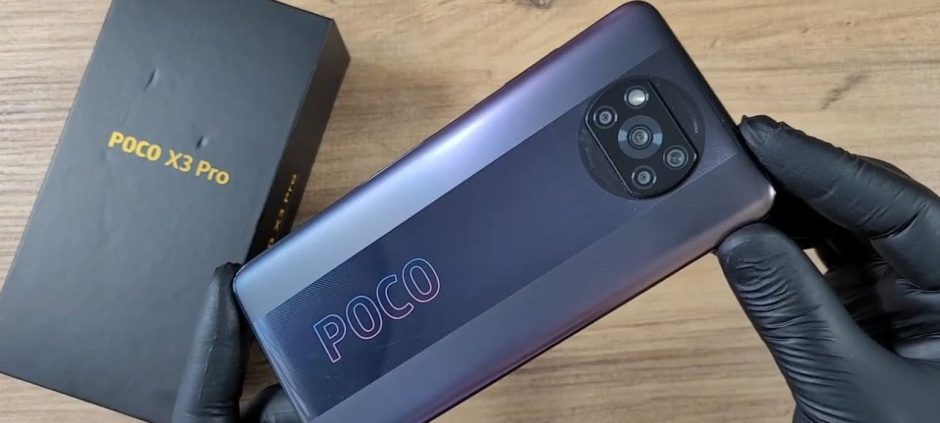
Is your Poco X3 Pro getting warm in your hands? A phone getting slightly warm is normal, especially when you use it a lot. But if it gets too hot, it can be a problem. This heat can slow down your phone. It can also damage the battery over time. Many people in Pakistan love the Poco X3 Pro for its power. However, this power can sometimes create extra heat.
The good news is you can fix most heating issues yourself. You do not need to be a tech expert. This guide will show you simple steps to cool down your Poco X3 Pro. We will cover why your phone gets hot and what you can do about it. By following these tips, you can keep your phone running smoothly and safely.
Why Does My Poco X3 Pro Get So Hot?
Understanding the cause of the heat is the first step. Several things can make your phone warm up. Once you know the reason, finding a solution is much easier.
Powerful Processor at Work
The Poco X3 Pro has a very strong processor, the Snapdragon 860. This is what makes it great for gaming and heavy tasks. When you play games like PUBG or use many apps at once, the processor works hard. Think of it like an engine in a car. When it works hard, it produces more heat. This is the most common reason for your phone to feel hot.
Too Many Apps Running
Do you close apps when you are done with them? Many apps keep running in the background even after you switch to another one. These apps use the phone’s processor and memory. This constant activity creates heat. Social media apps, GPS, and others are often the biggest culprits. Your Poco X3 Pro has a lot of RAM, but too many background apps will still cause it to heat up.
Charging and Using at the Same Time
Charging your phone naturally creates some heat. The battery is being filled with energy. If you use your phone for heavy tasks like gaming while it is charging, it will get very hot. The system is getting power and using power at the same time. This puts a big strain on the device and is a major cause of overheating.
Bright Screen and Hot Weather
Your phone’s screen is another source of heat. The brighter your screen, the more power it uses. More power means more heat. Also, the weather in Pakistan can get very hot. Leaving your Poco X3 Pro in direct sunlight or in a hot car will make it heat up quickly. The outside temperature adds to the heat your phone is already making.
Software and App Problems
Sometimes, a problem is not with the hardware but with the software. A bug in an app or in the phone’s operating system (MIUI) can cause it to use too much power. This leads to overheating. An app that is not optimized well can run inefficiently and heat the phone. Keeping your phone and apps updated often fixes these bugs.
Curious about what’s trending? See the most popular and budget-friendly smartphones list for a quick roundup of top-ranking devices.
Simple Ways to Cool Down Your Poco X3 Pro
Now that we know why your phone gets hot, let’s look at the solutions. These are easy steps anyone can take to manage their phone’s temperature.
1. Close Background Apps
This is the easiest and most effective fix. Make it a habit to close apps you are not using.
- Tap the square button at the bottom of your screen to see all open apps.
- Swipe up on each app you want to close.
- You can also tap the ‘X’ button to close all of them at once.
Doing this regularly frees up your phone’s resources and reduces heat.
2. Take a Break from Gaming
The Poco X3 Pro is a gaming beast, but even beasts need a rest. If you feel the phone getting hot during a long gaming session, just pause the game. Take a 15-minute break. Let the phone cool down. This is not only good for your phone but also for your eyes.
3. Reduce Screen Brightness
Unless you are outside in the bright sun, you probably do not need your screen at full brightness. Lowering the brightness reduces power consumption and heat.
- Go to Settings > Display > Brightness level.
- Turn off ‘Automatic brightness’ and set the level manually to a comfortable, lower setting.
This small change also helps save battery life.
4. Remove the Phone Case
Phone cases are great for protection, but they can also trap heat. If your Poco X3 Pro is overheating, especially while charging or gaming, try taking off the case. This allows air to flow around the phone and helps it cool down faster. A thick or leather case is more likely to trap heat than a thin plastic one.
5. Update Your Phone and Apps
Manufacturers often release software updates that include performance improvements and bug fixes. Some of these updates can solve overheating problems.
- To update your phone: Go to Settings > About phone > MIUI version and check for updates.
- To update your apps: Open the Google Play Store, tap your profile icon, and select ‘Manage apps & device’. Update all available apps.
6. Avoid Using the Phone While Charging
Try not to use your phone for heavy tasks when it is plugged in. If you need to take a quick call or send a message, that is fine. But avoid gaming or watching videos. Let the phone charge in peace. It will charge faster and stay cooler. Also, always use the original Poco charger that came with your phone.
7. Turn Off Unused Connections
Features like GPS, Bluetooth, and mobile hotspot use power and generate heat. When you are not using them, turn them off. You can do this easily from the control center by swiping down from the top of the screen. Only turn them on when you need them.
8. Use the Battery Saver Mode
Your Poco X3 Pro has a built-in Battery Saver mode. This mode limits background activity, reduces performance, and lowers screen brightness to save power. When you save power, you also reduce heat. You can turn this on from the control center or from Settings > Battery & performance. It is a great option when you do not need the phone’s full power.
What to Do If Your Phone Is Already Too Hot
If you pick up your phone and it feels very hot, you should act quickly to cool it down.
- Stop everything: Stop using the phone immediately.
- Remove the case: Take the protective case off.
- Move it to a cooler place: Take it out of the sun and away from any heat source.
- Lower brightness: Turn the screen brightness all the way down.
- Turn on airplane mode: This will turn off all wireless connections at once.
- Do not put it in the fridge: Sudden, extreme cold can damage your phone. Just let it cool down naturally in a shady, cool spot.
By following these simple tips, you can manage the heat on your Poco X3 Pro. This will help your phone perform better and last longer. A cool phone is a happy and healthy phone.
Frequently Asked Questions
1. Is it normal for the Poco X3 Pro to get hot while gaming?
Yes, it is normal for the phone to get warm during heavy gaming because of its powerful processor. If it becomes uncomfortably hot, you should take a break.
2. Can overheating damage my Poco X3 Pro?
Yes, constant overheating can damage the battery and other internal components over time, reducing the phone’s lifespan and performance.
3. Does the phone’s case cause heating?
A thick or poorly designed case can trap heat and make overheating worse. Removing the case can help the phone cool down.
4. Should I use a phone cooler or fan?
An external phone cooler can help, especially for long gaming sessions. However, the software tips in this guide should be your first step.
5. Why does my phone get hot when I am not using it?
This is likely due to apps running in the background. Check for updates or use the Battery Saver mode to limit background activity.