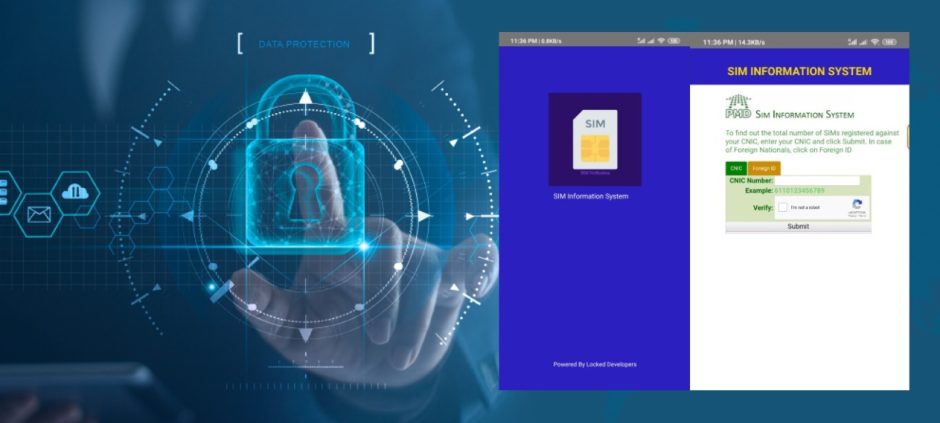
Want to know how many SIMs are registered under your CNIC or who owns a number before buying it? Pakistan’s SIM Information System (SIS) makes it simple and secure.
With telecom fraud on the rise, being aware of the SIMs linked to your CNIC isn’t just helpful, it’s necessary. From using SIS 668 to PTA and PMD online tools, this guide will walk you through every method to verify numbers and owners quickly.
What Is A SIM Information System?
The SIM Information System is essentially a national database containing details of all SIMs registered in Pakistan. Managed by PTA (Pakistan Telecommunication Authority) and PMD (Pakistan Mobile Database), it helps maintain telecom security across the country.
This system allows users to:
- Verify SIM owner names and CNICs
- Track registration dates and operators
- Detect duplicate or fraudulent SIMs
For anyone buying a second-hand SIM or monitoring telecom activity, SIS is a must-know tool.
How To Check SIM Information With A Number
Checking who owns a number is easier than ever. Pakistanis typically use one of these methods:
- SMS via 668: Send the mobile number to 668 and receive the owner’s name, CNIC, and operator details instantly.
- USSD Code: Dial your network’s USSD SIM check code. It’s fast and works from any phone.
- Online Portals: Both PTA and PMD websites allow number verification for official checks.
Whether buying a used SIM or checking your own, these methods are reliable and widely used.
How Many SIMs Are Registered On Your CNIC
Ever wondered how many SIMs are linked to your CNIC? Here’s how you can check:
Use SMS 668 or the USSD CNIC SIM check code, and you’ll receive a list of all active SIMs under your ID.
Knowing this is critical because:
- You may discover old or inactive SIMs you forgot about
- Fraudsters sometimes register SIMs in someone else’s name
- You can take action to deactivate duplicates
Pro Tip:
If you find duplicates or notice suspicious SIMs, check this guide on how PTA is protecting citizens from fake SIM vendors: PTA Cautions Citizens Over Free SIMs Sold By Street Vendors.
Always resolve discrepancies promptly with your operator or PTA to stay secure.
PMD SIS Vs PTA SIM Information System
Here’s a simple comparison:
| Feature | PMD SIS | PTA SIS |
| Data Source | Telecom operators | National telecom regulator |
| Accuracy | Very high | Verified + audited |
| User Access | Via portals/USSD | Via portals/USSD/SMS |
The PTA system is official and highly reliable, ensuring accurate SIM information for all users. Whereas the PMD is often faster and provides real-time data, making quick verification more convenient.
Some users combine both systems when one provides incomplete info. This ensures accuracy in Pakistan’s fast-paced telecom environment.
Top Tips To Verify SIM Details And Owner Info
For everyday users, keeping tabs on your SIMs is easier than it sounds:
- Always use official channels; avoid apps from unknown sources.
- Verify before buying used or second-hand SIMs.
- Keep your CNIC updated with your telecom operator.
- Check via SIS 668. It’s quick and official.
- Protect your personal info; don’t share your CNIC unnecessarily.
These simple steps save time and prevent fraud.
Understanding SIM Information System 668
668 is Pakistan’s quick SMS shortcode for instant SIM info.
Send the number to 668, and in seconds you’ll receive:
- Owner name
- CNIC number
- Registration date and operator
It’s one of the most trusted tools for Pakistanis to verify numbers, especially before buying new or used SIMs.
Common Issues About SIM Information System
Even with SIS, some users encounter minor issues:
SMS or USSD Not Working
May be due to network delays or formatting errors.
Sometimes, your message might not go through immediately due to network congestion. Retry after a few minutes, and make sure the number format is correct.
Multiple SIMs on One CNIC
Notify PTA or your operator to resolve discrepancies.
Seeing more than one SIM under your CNIC can be alarming. Reporting promptly ensures that unauthorized or duplicate SIMs are deactivated quickly.
Removing Inactive SIMs
Operators can deactivate unused numbers linked to your CNIC.
If you notice old SIMs you no longer use, contacting your operator can prevent misuse. Clearing them keeps your telecom profile clean and secure.
Data Safety
Official channels encrypt personal info, so it remains secure.
Your CNIC and SIM details are sensitive. Always use official PTA or PMD tools to avoid exposing your personal information to third parties.
Final Words
Pakistan’s SIM Information System is an essential tool for telecom safety. Regular checks ensure that only legitimate SIMs are linked to your CNIC and help prevent fraud.
Before buying a used SIM or verifying numbers, use official tools like SIS 668.
For more insights on PTA policies affecting phones, check this guide: Will Pakistan Lower the PTA Tax on Phones?
Stay informed, stay safe, and keep your SIMs verified!
Frequently Asked Questions
Q. How can I check SIM owner details in Pakistan?
SMS 668 or use PTA/PMD online portals. These are the most reliable methods.
Q. Can someone else see my SIM details?
No, official channels protect your info. Always avoid sharing your CNIC unnecessarily.
Q. How often should I check SIMs linked to my CNIC?
Check every few months to catch inactive or suspicious registrations.
Q. Is SIS 668 free?
Minimal cost may apply depending on your SMS package.