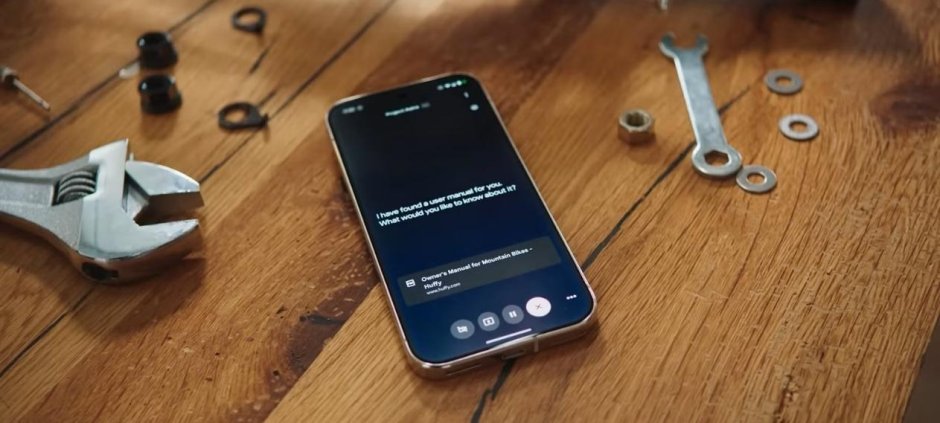
An open-source Android application called Buddy 2.1 allows users to run AI coding tools directly on their smartphones and let them interact with other apps through screen reading, tapping, typing and scrolling.
According to the project’s GitHub documentation, the app creates an environment on the phone where tools such as Claude Code, Codex and OpenCode can run without requiring a separate computer.
Buddy operates through a floating chat bubble, allowing users to interact with the AI while accessing other applications on their devices. The project is available free of charge and does not require root access, Android Debug Bridge (ADB) or a dedicated Buddy server.
The application could offer developers and technology enthusiasts a way to experiment with AI-assisted coding and phone automation without setting up a traditional desktop environment.
Free and Open-Source Android Application
Buddy 2.1 is released under the Apache 2.0 open-source licence and is available through its official GitHub repository.
The project does not offer paid Buddy subscription tiers or operate dedicated Buddy servers, according to the provided information.
Users can review the project and access its releases through the Buddy Android GitHub repository.
However, the app remains early-stage software. Its compatibility and performance may vary depending on the Android device, system configuration and background battery-management restrictions.
The project has primarily been tested on a OnePlus 12 running Android 16, meaning users with other devices may experience different results.
Buddy is also not affiliated with Anthropic, the developer of Claude, or OpenAI, the company behind Codex.
Claude Code Runs Inside a Phone-Based Linux Environment
Buddy creates a lightweight Alpine Linux environment using proot within its own application storage.
Users can then install and run supported AI coding tools, including Claude Code, Codex and OpenCode, inside that environment.
This setup allows the tools to operate directly on a compatible Android smartphone instead of relying on a separate PC to host the environment.
The app requires a 64-bit Android phone running Android 11 or newer.
According to the project details, users can connect Claude Code with an eligible Claude Pro or Max subscription, or use Codex with a compatible ChatGPT plan, subject to the relevant provider’s account and usage requirements.
OpenCode is also supported and can work with free models that do not require an account, depending on the selected model and its availability.
AI Can Tap, Type and Scroll Through Apps
One of Buddy’s main features is its ability to let an AI interact with Android applications.
The app uses Android’s accessibility system to provide tools for reading screen content and performing actions such as tapping buttons, entering text and scrolling through interfaces.
These capabilities are exposed through a local Model Context Protocol (MCP) server, which allows supported AI tools to access the available phone-control functions.
This means an AI agent can potentially perform multi-step tasks involving different applications instead of only responding to text prompts.
For example, supported automation workflows could involve navigating an app, reading information displayed on the screen and entering text into an appropriate field.
The actual tasks the AI can complete will depend on the app’s permissions, the accessibility features available, the selected AI tool and the complexity of the workflow.
No PC, Root Access or ADB Required
Buddy’s setup is designed to avoid several requirements commonly associated with Android development and automation.
The app does not require users to root their phones, connect through ADB or maintain a separate computer to run the supported tools.
Instead, it creates its working environment inside the Android application’s storage and uses the phone’s existing capabilities.
This approach could make experimentation with AI coding tools more accessible to users who do not have a desktop computer available.
However, running AI agents locally on a phone does not necessarily mean that all AI processing happens on the device. Requests sent to an external AI provider still depend on that provider’s infrastructure and applicable account limits.
Privacy and Security Considerations
Because Buddy can interact with applications through Android’s accessibility system, users should carefully review the permissions they grant.
Screen-reading and input capabilities can expose sensitive information or allow actions to be performed within other apps. Users should understand what access is enabled before allowing an AI agent to control their device.
The project documentation says the app’s environment runs locally apart from requests sent to the selected AI provider. This should not be interpreted as a guarantee that all information remains on the phone, because provider requests may transmit data externally.
Users should avoid exposing passwords, banking information or other sensitive content to automated workflows unless they understand how the information is handled.
As an early-stage project, Buddy may also have compatibility limitations, and users should review the repository’s documentation and release notes before installation.
A New Approach to AI-Powered Phone Automation
Buddy 2.1 brings together mobile Linux environments, AI coding assistants and Android accessibility features in a single application.
Its support for Claude Code, Codex and OpenCode offers users a way to experiment with AI-driven development and phone automation without relying on a traditional PC setup.
Although the app is free and open source, its early development stage means performance, compatibility and reliability may vary across devices.
For developers and technology enthusiasts interested in running AI tools on Android, Buddy provides an alternative approach to accessing coding assistants and automating supported phone tasks.
Also read: UK Universities Plan to End Turnitin Contracts Over AI Concerns